
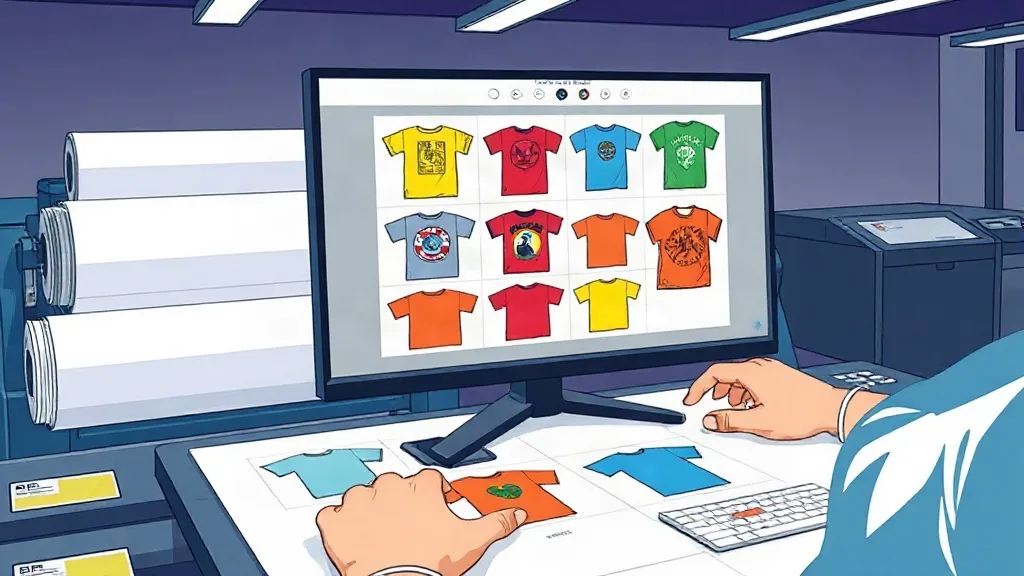
Ever found yourself staring at a pile of individual transfer orders, each requiring its own setup and material? If you run a print shop or a custom apparel business, you know the struggle of balancing quality with turnaround time. That's where the DTF Gangsheet comes in. By grouping multiple designs onto a single sheet, you can drastically reduce waste, save on material costs, and streamline your workflow. In this guide, we'll dive deep into what gangsheets are, why they're a game-changer, and how to make the most of them for your business.
What Is a DTF Gangsheet?
At its core, a DTF Gangsheet is a large sheet of DTF (Direct-to-Film) transfer paper that contains multiple designs printed together. Instead of printing each design individually, you arrange several graphics on one sheet, maximizing the use of space and minimizing waste. This approach is akin to gang printing in traditional offset printing, where multiple jobs are combined to save time and resources.
The process involves designing a layout that fits within the dimensions of the DTF film, typically up to 22 inches wide by whatever length you need. Once printed, the sheet is powdered with adhesive, cured, and then can be pressed onto garments one design at a time. The beauty is that you can mix and match designs of different sizes and colors, all on one sheet, without worrying about color bleeding or registration issues.
Why Should You Use a DTF Gangsheet?
If you're not already using gangsheets, you're likely leaving money on the table. Here are some compelling reasons to make the switch:
- Cost savings: DTF film and ink are expensive. By printing multiple designs on one sheet, you use less film and ink per design, lowering your cost per transfer. Plus, you save on setup time and labor.
- Time efficiency: Instead of loading the printer multiple times, you print once and have a batch of transfers ready to go. This is especially beneficial for high-volume orders or when you need to fulfill rush jobs.
- Flexibility: Gangsheets allow you to combine different designs, sizes, and quantities on the fly. You can easily adjust the layout to fit your needs, whether you're printing 10 small logos or 5 large back prints.
- Consistency: When you print all designs in one go, you ensure consistent color and quality across the board. No more variations from batch to batch.
But perhaps the biggest advantage is the ability to offer competitive pricing without sacrificing your profit margin. By optimizing your material usage, you can pass savings onto your customers or reinvest in your business.
How to Create an Effective DTF Gangsheet
Creating a gangsheet isn't just about throwing designs onto a canvas. A well-planned layout can mean the difference between a profitable run and a wasteful one. Follow these steps to design a gangsheet that works as hard as you do.
1. Start with a Plan
Before you open your design software, think about what you need to print. Consider the sizes, quantities, and any color requirements. Group similar designs together to streamline the printing process. For example, if you have a batch of left-chest logos and full-back prints, you might want to separate them onto different sheets to avoid size conflicts.
2. Choose the Right Dimensions
DTF film comes in various widths, commonly 13, 17, or 22 inches. The length can be customized up to the maximum your printer supports. When deciding on dimensions, think about how you'll cut the transfers. Leaving a small margin between designs (about 0.25 inches) makes cutting easier and prevents ink from bleeding between designs.
3. Optimize the Layout
Use design software like Photoshop or Illustrator to arrange your designs efficiently. Rotate designs if necessary to fill gaps. Nest smaller designs around larger ones to minimize unused space. Remember that the goal is to use as much of the sheet as possible without overlapping designs (unless you intend to).
4. Mind the Gaps
Leave adequate spacing between designs to allow for easy cutting and to prevent color contamination. A quarter-inch gap is usually sufficient, but if you're using a lot of white ink, you might want to increase it slightly to avoid powder sticking between designs.
5. Test and Refine
Before committing to a large gangsheet, do a test print with a smaller layout. Check for color accuracy, detail sharpness, and how well the transfers press. Adjust your design files accordingly. This step can save you from costly mistakes on a full run.
Ordering DTF Gangsheets: What to Look For
If you're outsourcing your gangsheet printing, choosing the right supplier is crucial. Here's what to consider:
- Quality of materials: Look for suppliers that use premium DTF film and inks. Poor quality materials can lead to faded colors, cracking, or poor adhesion.
- Turnaround time: Time is money. Choose a supplier with fast production and shipping times to keep your projects on track.
- Pricing transparency: Understand the cost structure. Some suppliers charge by the sheet, others by the linear inch. Calculate the cost per design to compare accurately.
- Customer support: A good supplier will offer support with file setup and troubleshooting. Look for companies that provide templates and guidelines.
- Reputation: Read reviews and ask for samples. A reliable supplier will be happy to provide references.
At DTF Pro Design, we specialize in high-quality gangsheet printing with quick turnaround and competitive pricing. Our team can help you optimize your layout for maximum efficiency. Whether you're a small startup or a large operation, we've got you covered.
Common Mistakes to Avoid with DTF Gangsheets
Even experienced printers can fall into traps when creating gangsheets. Here are some pitfalls to watch out for:
- Overcrowding: Trying to squeeze too many designs onto a sheet can lead to cutting errors and poor transfer quality. Leave some breathing room.
- Ignoring grain direction: DTF film has a grain, and designs should be oriented accordingly for best results. Always check the film's specifications.
- Using low-resolution images: Garbage in, garbage out. Ensure all designs are high-resolution (300 DPI) to avoid pixelation.
- Forgetting about color profiles: DTF printing uses CMYK, so convert your designs from RGB to CMYK to avoid color shifts.
- Not accounting for shrinkage: When pressing, designs may shrink slightly. Plan for this by adding a small bleed or adjusting your layout.
By avoiding these mistakes, you'll save time, money, and frustration.
Maximizing Your ROI with DTF Gangsheets
To truly benefit from gangsheets, you need to think strategically. Here are some tips to get the most out of every sheet:
- Batch similar jobs: Combine designs that use similar colors to reduce ink changes and waste.
- Use nesting software: Invest in software that automatically arranges designs for optimal space usage. This can increase your yield by 10-20%.
- Standardize sizes: If possible, standardize the sizes of your designs to make layout planning easier and more efficient.
- Track your usage: Keep records of how many transfers you get per sheet and adjust your layouts accordingly. Over time, you'll identify patterns and improve your efficiency.
- Offer gangsheet services: If you have a DTF printer, consider offering gangsheet printing as a service to other businesses. It's a great way to generate additional revenue.
Remember, the key is to treat each gangsheet as a mini-production run. Plan it carefully, and you'll reap the rewards.
Frequently Asked Questions
What is the maximum size for a DTF gangsheet?
The maximum size depends on your printer. Most DTF printers can handle rolls up to 22 inches wide, and the length can be virtually unlimited, though practical limits are set by the film roll length and your design software. Common lengths range from 12 inches to several feet. Always check your printer's specifications.
Can I mix different designs on one gangsheet?
Absolutely. That's the whole point of a gangsheet. You can combine any designs you want, regardless of size or color, as long as they fit within the sheet dimensions. Just ensure you leave enough space between designs for cutting.
How do I ensure my gangsheet prints come out with vibrant colors?
Use high-quality DTF inks and film, and make sure your design files are in CMYK color mode with a high resolution (300 DPI). Also, perform a test print to check color accuracy before committing to a full sheet. Proper powder application and curing also play a role in color vibrancy.
What's the best way to cut a DTF gangsheet?
You can cut gangsheets by hand with scissors or a guillotine cutter, or use a vinyl cutter with a proper blade. For precision, a rotary cutter and a straight edge work well. Leave a small border around each design to avoid cutting into the print. If you have many sheets, consider investing in a automated cutter for efficiency.
How should I store DTF gangsheets?
Store gangsheets in a cool, dry place away from direct sunlight. Keep them flat or roll them loosely with the printed side facing out to avoid scratches. Avoid folding, as creases can affect transfer quality. Proper storage can extend the shelf life for several months.
Ready to take your printing to the next level? Visit DTF Pro Design to explore our gangsheet options and get a quote today. Our team is here to help you streamline your production and boost your profits.