
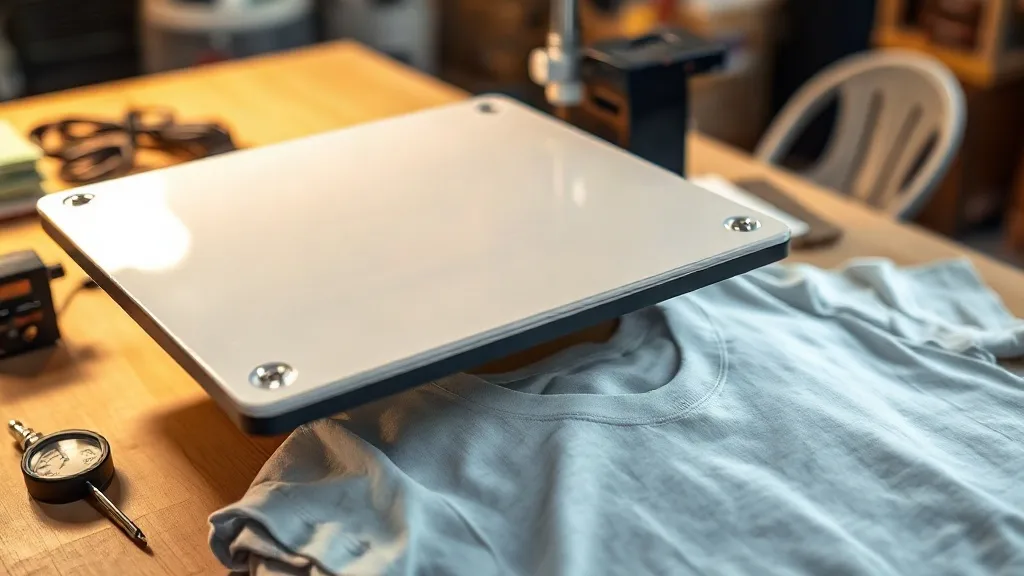
You peel a freshly pressed shirt, and the edge of the graphic lifts with the film. Or the print looks fine until the first wash, when it cracks along the shoulder seam. Nine times out of ten, the film and powder were fine, and the problem happened in the sixty seconds the shirt sat under the platen. This guide is about that window: how pressure, temperature, and dwell time interact, how to read the symptoms of each, and how to dial in a press that produces consistent dtf transfers instead of a pile of rejects.
Why the Press Is Usually the Culprit
DTF film is forgiving in ways screen printing and vinyl are not. It does not care about mesh count, it does not need a platen adhesive, and it will bond to cotton, polyester, and most blends. That forgiveness hides mistakes. A press running twenty degrees cold will still produce a print that looks acceptable on the table. It just will not survive a wash cycle or a stretch test.
When a shop tells me their dtf prints are inconsistent, I ask three questions before anything else: what pressure setting, what temperature reading, and how long. Almost every time, one of those three numbers is wrong, or the press is not actually delivering what the gauge claims. Before you blame the film supplier, verify the press.
Reading the Symptoms: A Diagnostic Approach
Each press variable fails in a recognizable pattern. Learn the pattern, and you can diagnose a problem in seconds instead of guessing.
Pressure Problems
Too little pressure leaves the adhesive layer sitting on top of the fabric weave instead of pressing into it. The transfer may look bonded, but the edges will lift after a wash, and the print will feel slightly raised and plasticky. Too much pressure is the opposite failure: the adhesive squeezes out past the graphic, creating a visible halo of clear residue around the design, and the print can look flattened or shiny.
The right pressure is enough to close the fabric weave without crushing it. On most clamshell presses, medium pressure is around 4 to 6 on a dial scale, but dial numbers mean nothing across brands. Use the fabric as your gauge: press a scrap of your shirt fabric with no film, then lift the platen. You should see a light impression in the weave that recovers within a minute. If the fabric looks flattened and stays that way, back off.
Temperature Problems
Cold presses cause the most common failure: prints that peel at the corners or lift entirely after washing. The adhesive never fully melted, so it bonded to the surface fibers only. Hot presses cause the opposite: the film carrier can wrinkle or curl, the polyester in the fabric can scorch or glaze, and on heat-sensitive blends you can get dye migration that turns a white underbase pink.
Do not trust the press gauge. Press gauges drift, and the reading reflects the platen surface, not the fabric. Use an infrared thermometer or a press probe to confirm actual temperature at the platen. For most DTF film, the working range sits between 300 and 330 degrees Fahrenheit, but check your film supplier's spec sheet and treat it as the starting point, not gospel. Every press runs a little different.
Dwell Time Problems
Short dwells leave the adhesive under-melted, which shows up as edge lift and poor wash durability. Long dwells over-cure the adhesive, making it brittle. A brittle bond feels solid on day one and cracks on day thirty. Twelve to fifteen seconds is typical, but pressure and temperature change the equation. Higher temperature needs less time; lower temperature needs more. If you drop the temperature to protect a delicate fabric, extend the dwell to compensate.
Peel Temperature: The Variable Most People Ignore
Peel temperature is not the same as press temperature. Some films are designed for a hot peel, some for a cold peel, and some for a warm peel somewhere in between. Peel too early on a cold-peel film and the adhesive stretches with the carrier, leaving a distorted graphic. Peel too late on a hot-peel film and the adhesive has already set against the carrier, and the edges lift.
Test a scrap before committing to a full run. Press it, then peel at the temperature your supplier recommends, and watch how the film releases. It should come away cleanly with no adhesive residue on the carrier and no distortion in the print. If it fights you, the peel temperature is wrong, not the film.
Building a Press Log That Actually Helps
Shops that produce consistent dtf transfers keep records, but not the kind most people imagine. A binder full of settings from three years ago is useless because presses drift and films change. What works is a simple running log for each fabric type you print regularly.
- Fabric type and weight, noted precisely (for example, 5.3 oz ringspun cotton, not just cotton)
- Press temperature as measured at the platen, not as shown on the gauge
- Pressure setting in whatever units your press uses, plus a note on the fabric impression
- Dwell time in seconds
- Peel temperature and result
- Wash test outcome after three cycles, noted a week later
The wash test column is the one that matters most. A print that looks perfect on the table and fails after three washes tells you nothing useful until you record the failure. After a month of logging, patterns emerge. You will find that your tri-blend shirts need a lower temperature and longer dwell, or that your heavyweight hoodies need more pressure than your tees. That is the kind of knowledge that turns a press into a reliable tool.
Quick Fixes When You Are Mid-Run
Production does not stop for diagnostics. When a print fails mid-run, here is the order I check things in.
- Edge lift after peel: increase pressure slightly, then extend dwell by two seconds. If it persists, raise temperature by five degrees.
- Halo or residue around the graphic: reduce pressure. Check that the platen is level and the shirt is flat with no bunched fabric under the design.
- Print looks dull or flat: pressure is too high, or the fabric has a texture that needs a lower pressure and longer dwell combination.
- Cracks after wash: temperature was too high or dwell too long, over-curing the adhesive. Drop temperature five degrees and test again.
- Dye migration on polyester: lower temperature, shorten dwell, and consider a barrier layer or a lower-temperature film.
Notice that none of these fixes involve changing the film. That is the point. The film is a constant. The press is the variable, and it is the variable you control.
When to Suspect the Film Instead
Sometimes the press is fine and the film is the problem. Two signs point that way. First, if the same settings produce good prints on one roll and bad prints on another, the film batch may be off, particularly if it was stored in high humidity. Second, if the powder layer looks uneven or the film feels tacky before pressing, moisture has likely compromised it. Store film sealed with desiccant, and rotate stock so older rolls get used first.
If you are sourcing film locally and want to compare options, searching for dtf transfers near me can help you find a supplier who can talk through batch consistency and storage conditions, which matters more than most people realize.
Frequently Asked Questions
What temperature should I press DTF transfers at?
Most films work in the 300 to 330 degree Fahrenheit range, but the number on your press gauge is not reliable. Measure the platen with an infrared thermometer and follow your film supplier's spec sheet as a starting point. Adjust from there based on peel behavior and wash test results.
Why do my DTF prints crack after washing?
Cracking almost always means the adhesive was over-cured. Temperature too high or dwell too long makes the bond brittle rather than flexible. Drop your temperature by five degrees and shorten the dwell by two seconds, then run a wash test before committing to a production run.
How much pressure should a heat press use for DTF?
Enough to close the fabric weave without crushing it. Ignore the dial number and judge by the fabric impression: a light mark that recovers within a minute is right. A flattened, shiny impression means too much pressure, which causes halos and dull prints.
Can I press DTF transfers on polyester without scorching?
Yes, but you need to lower the temperature and extend the dwell time. Polyester is heat-sensitive and prone to dye migration, so use the lowest temperature your film allows and test on a scrap before pressing a full order. Some shops use a barrier layer for problematic polyester.
Should I peel DTF transfers hot or cold?
It depends on the film. Some films are designed for hot peel, some for cold, and some for warm. Check your supplier's spec sheet and test a scrap before a production run. The film should release cleanly with no adhesive residue on the carrier and no distortion in the print.